Electricity cost calculator Android United Kingdom
What your appliances cost to run, at your own tariff.
List what you plug in, copy the unit rate and standing charge from your bill, and Spree Gains works out an estimate per day, week, month and year. It runs offline, and nothing you enter leaves your phone.
The app is not on Google Play yet. The download link will appear here once it is.
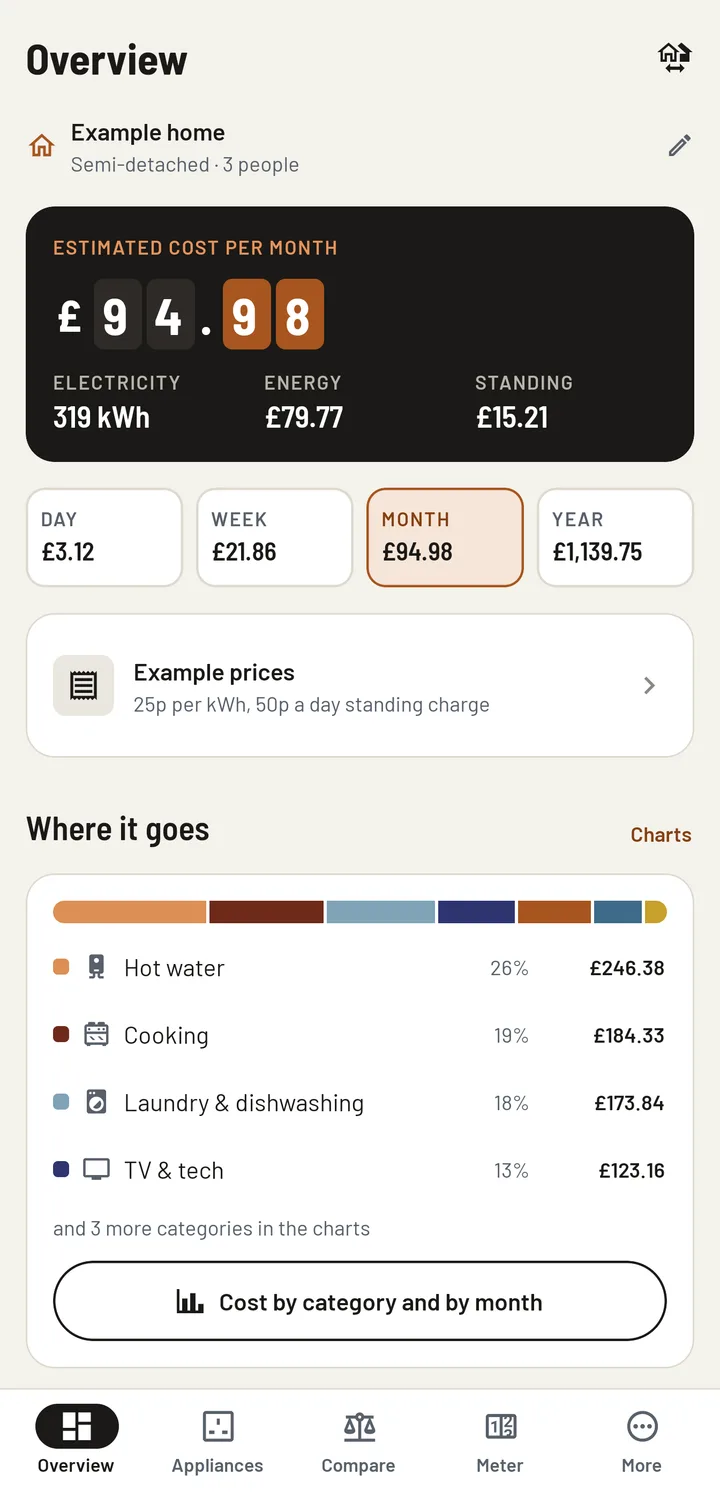
Estimated cost per month example home
- Electricity
- 319 kWh
- Energy
- £79.77
- Standing
- £15.21
- Day
- £3.12
- Week
- £21.86
- Month
- £94.98
- Year
- £1,139.75
Example data at example prices. This is the example home that comes with the app: 13 appliances priced at 25p per kWh with a standing charge of 50p a day. The figures are invented to show what a result looks like. The app contains no energy prices; yours come from your bill.
How it works
Two things to type in, one answer to read.
-
List what you plug in
Add each appliance with its power in watts, its hours of use and its days a week. Start from the list of common appliances with typical values, then correct them from the rating plate.
-
Copy your tariff from your bill
The unit rate in pence per kWh and the daily standing charge, for a single-rate tariff or for day and night rates. The app has no prices of its own.
-
Read the estimate
Cost and kilowatt-hours per day, week, month and year, the split by category and the appliances that use the most.
The sum behind every figure
watts × hours ÷ 1,000 = kWh
From the example home
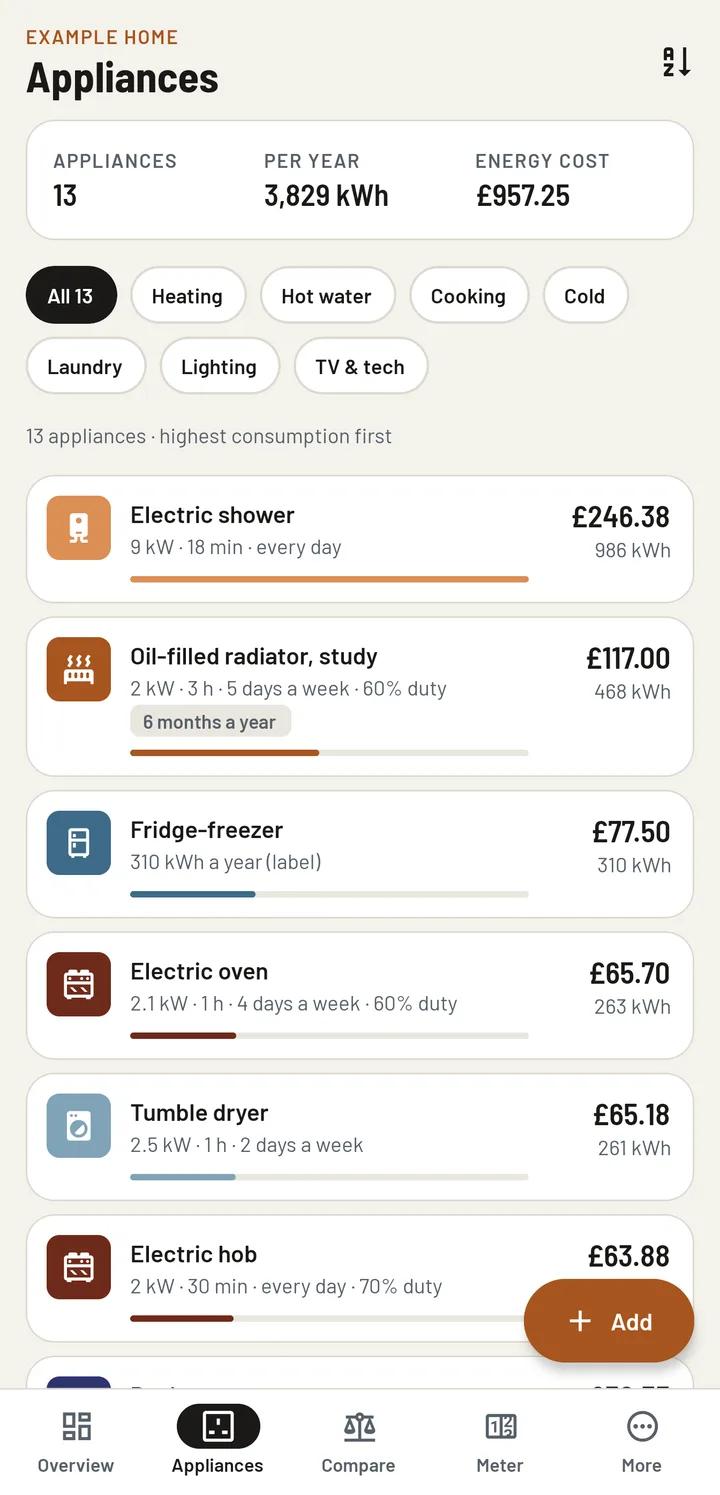
Electric shower 9 kW 18 min every day
986 kWh a year£246.38 a yearat the example price of 25p per kWh
Six screens
From the appliance list to the meter cupboard.
Real captures of version 1.0.0 with the app’s example home loaded. Every figure in them is invented example data.
-
OverviewSpree Gains
What your home costs to run
The cost for the period you pick, in meter-style digits, with the kilowatt-hours, the energy part and the standing charge. Underneath: where the money goes and your biggest users.
-
AppliancesSpree Gains
Every appliance, in kWh and pounds
Enter watts, hours and days a week; kWh a cycle for a washing machine or dishwasher; or the kWh a year from an energy label. Allow for appliances that cycle on and off, for standby, and for the months an appliance is used at all.
-
ChartsSpree Gains
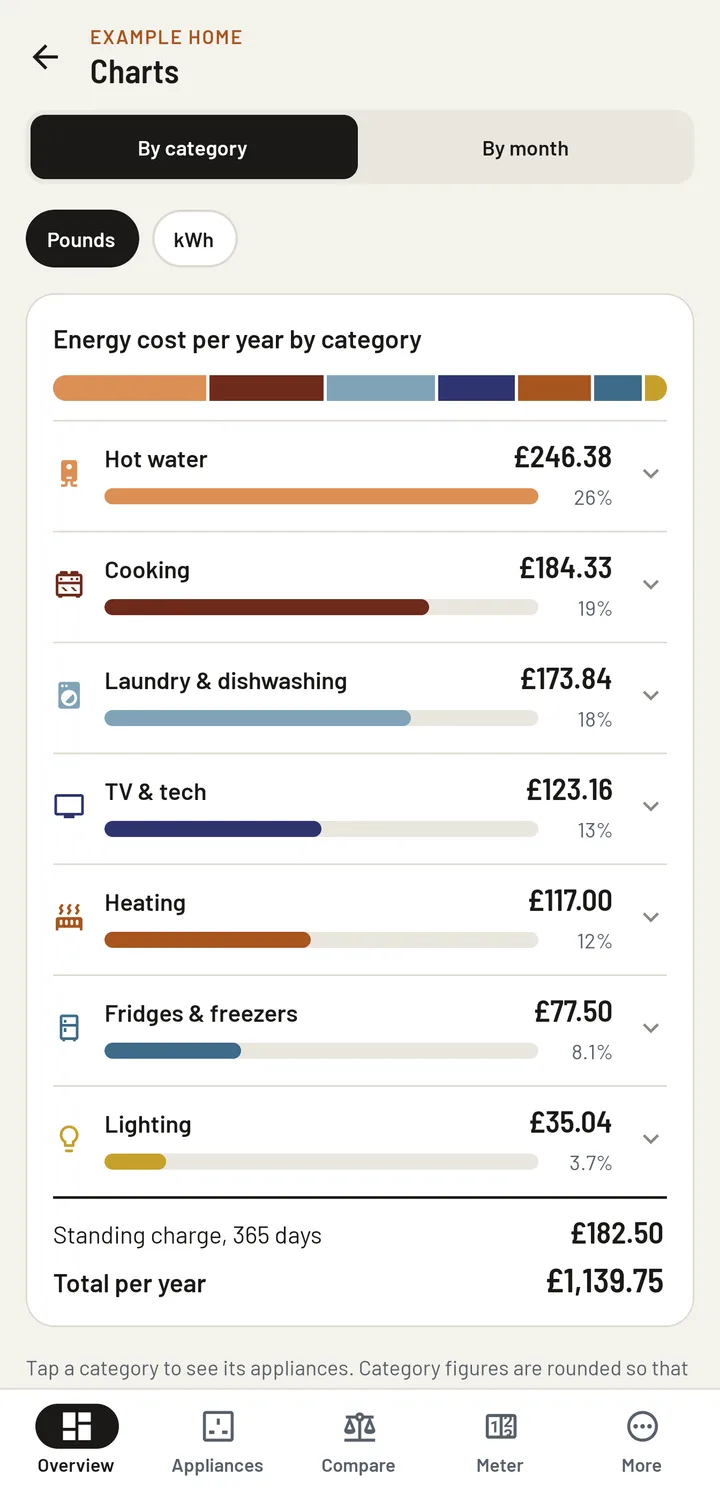
See where the money goes
Yearly cost by category: heating, hot water, cooking, fridges and freezers, laundry, lighting, TV and tech. Tap a category to see its appliances. The standing charge is listed on its own line.
-
CompareSpree Gains
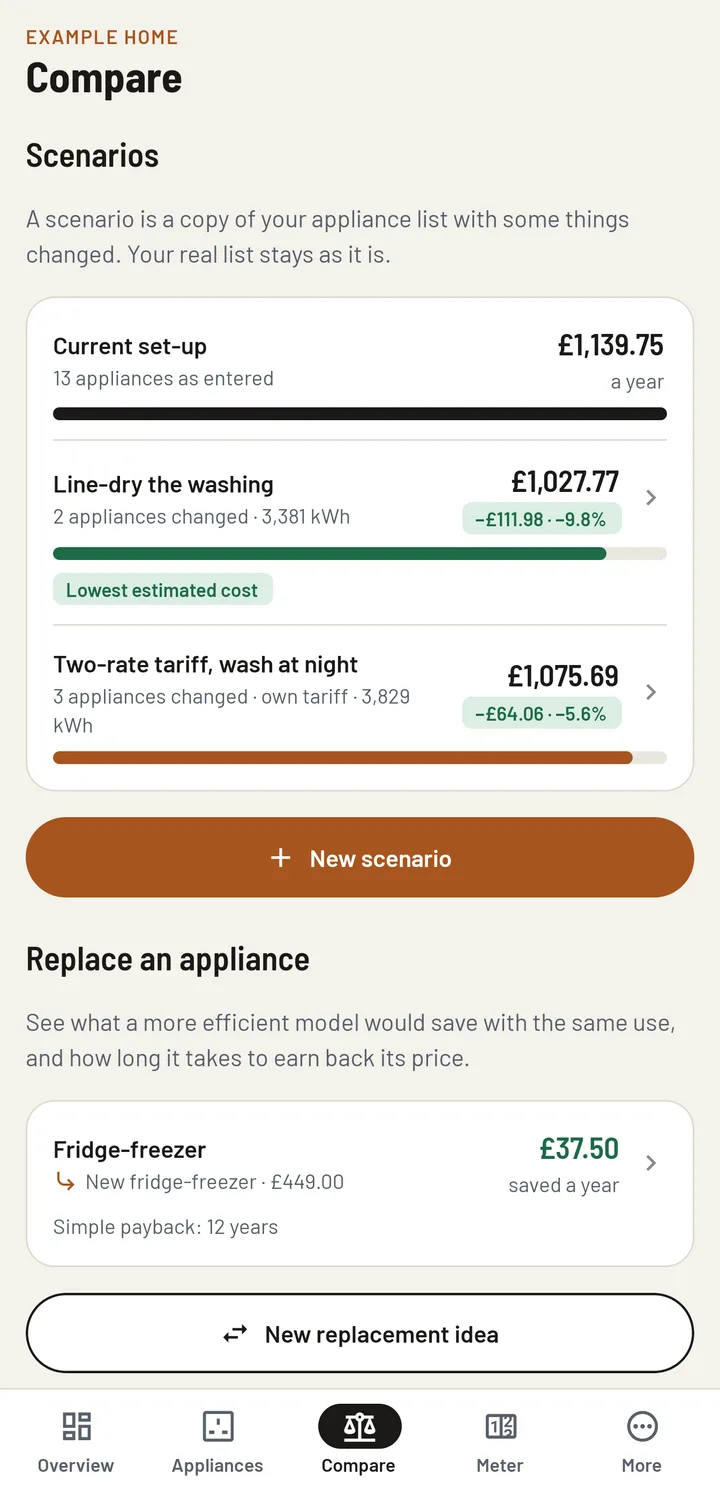
Try a change before you make it
A scenario is a copy of your appliance list with some things changed: switch something off, shorten its hours, move it to the night, or price everything with a different tariff. Your real list stays as it is.
Example scenario “Line-dry the washing”: −£111.98 · −9.8% a year
-
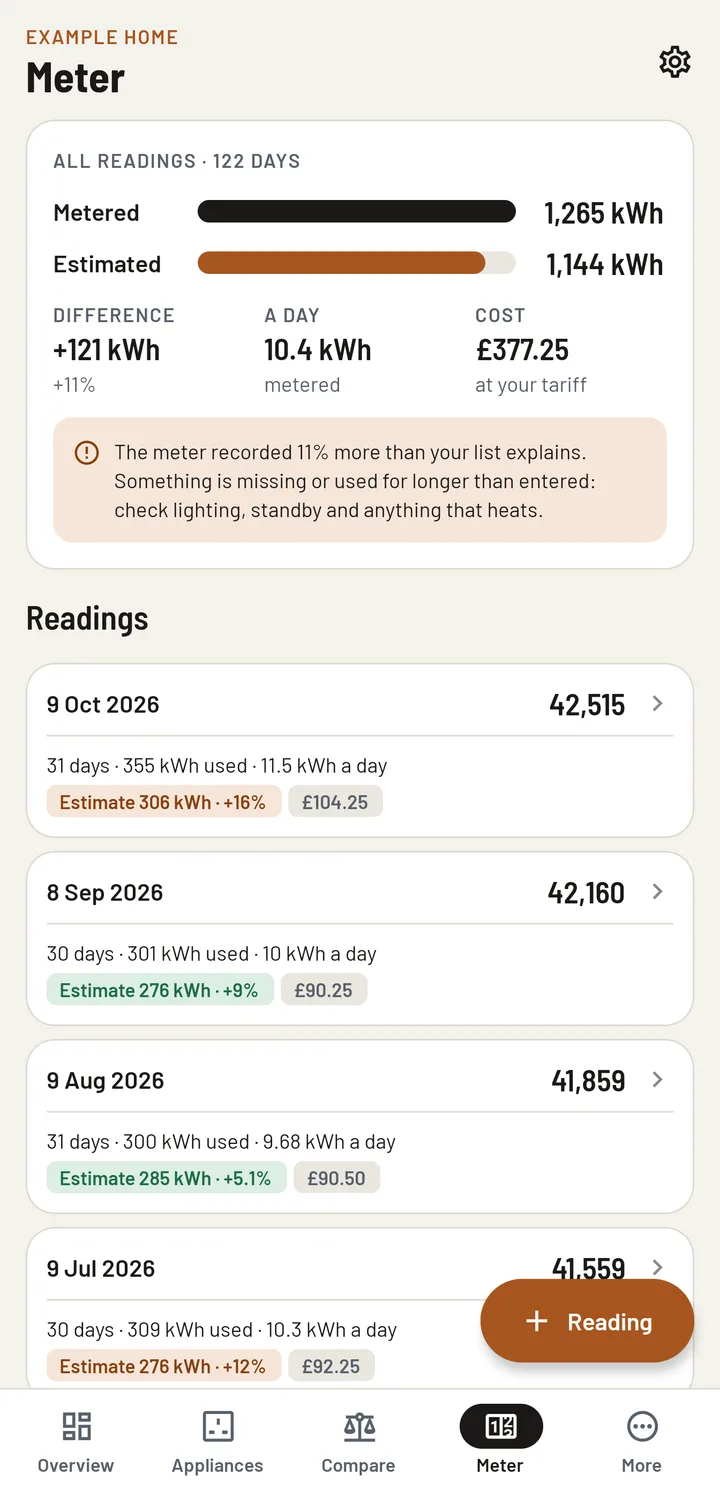
MeterSpree Gains
Check it against your meter
Keep a log of meter readings, with one reading or separate day and night readings. The app sets what the meter recorded next to what your appliance list predicts, and says in plain words what the gap suggests.
Example: 1,265 kWh metered against 1,144 kWh estimated
-
TariffSpree Gains
Your tariff, single or day and night
Unit rate in pence per kWh and the daily standing charge, copied from your own bill. The boxes start empty. If your prices exclude VAT you can add it on top at the rate on your bill; the app assumes none.
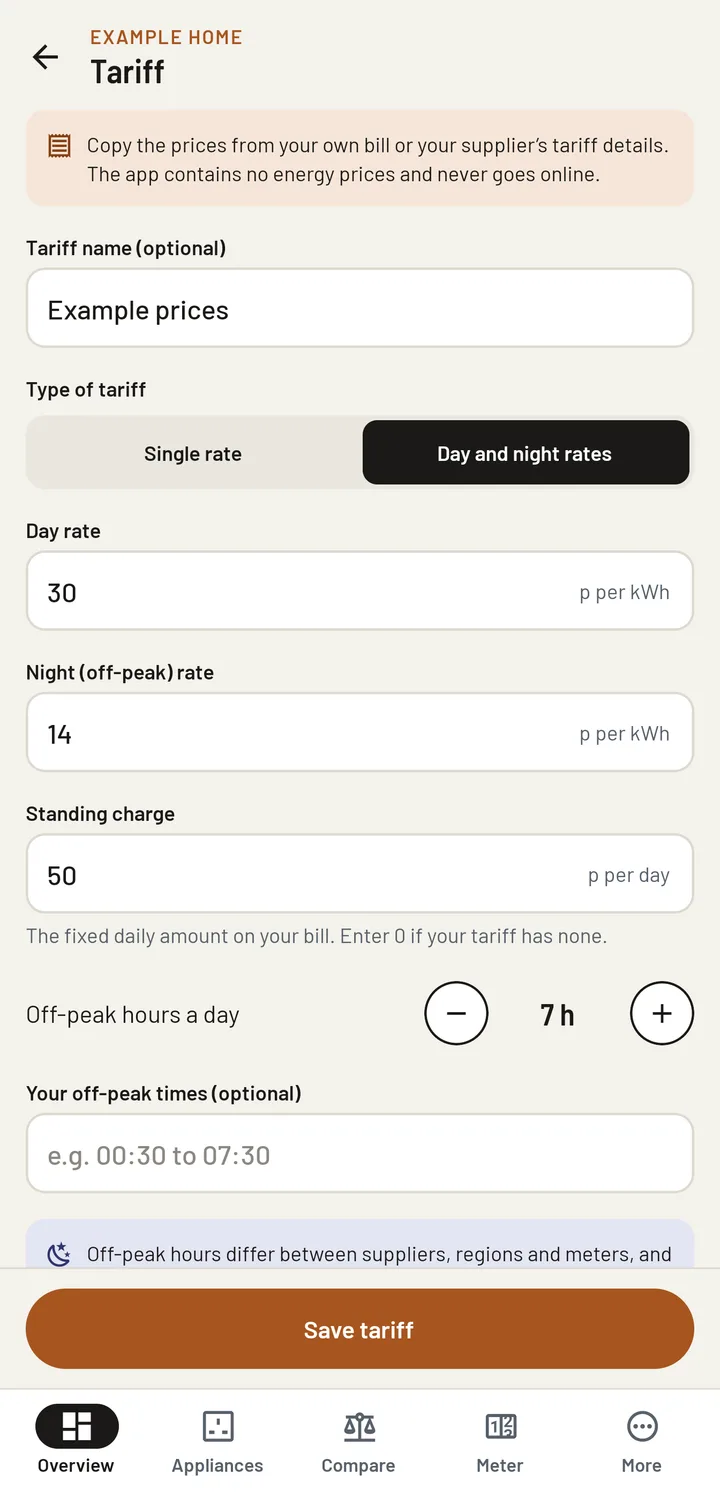
Day and night rates
On a two-rate tariff, the cheaper hours are counted separately.
Example scenario “Two-rate tariff, wash at night”: −£64.06 · −5.6% a year
-
Two rates, one standing charge
Enter the day rate, the night rate and the standing charge as they stand on your bill.
-
Your own off-peak hours
Off-peak hours differ between suppliers, regions and meters, so the app fixes no times. You set how many hours a day are off-peak and can note when yours are.
-
Appliance by appliance
Say how much of each appliance’s use falls in the cheaper hours, then test a move to the night as a scenario.
Also on the plate
The rest of the specification.
- Several homes
- Your own, a relative’s, a place you might move to. Each home keeps its own appliances, tariff, scenarios and readings.
- Typical appliances
- A list of 37 common appliances in nine categories to start from. The values are typical ones: correct them from the rating plate or energy label.
- Replacement calculator
- The yearly saving from a more efficient model at the same use, and the simple payback time of its purchase price.
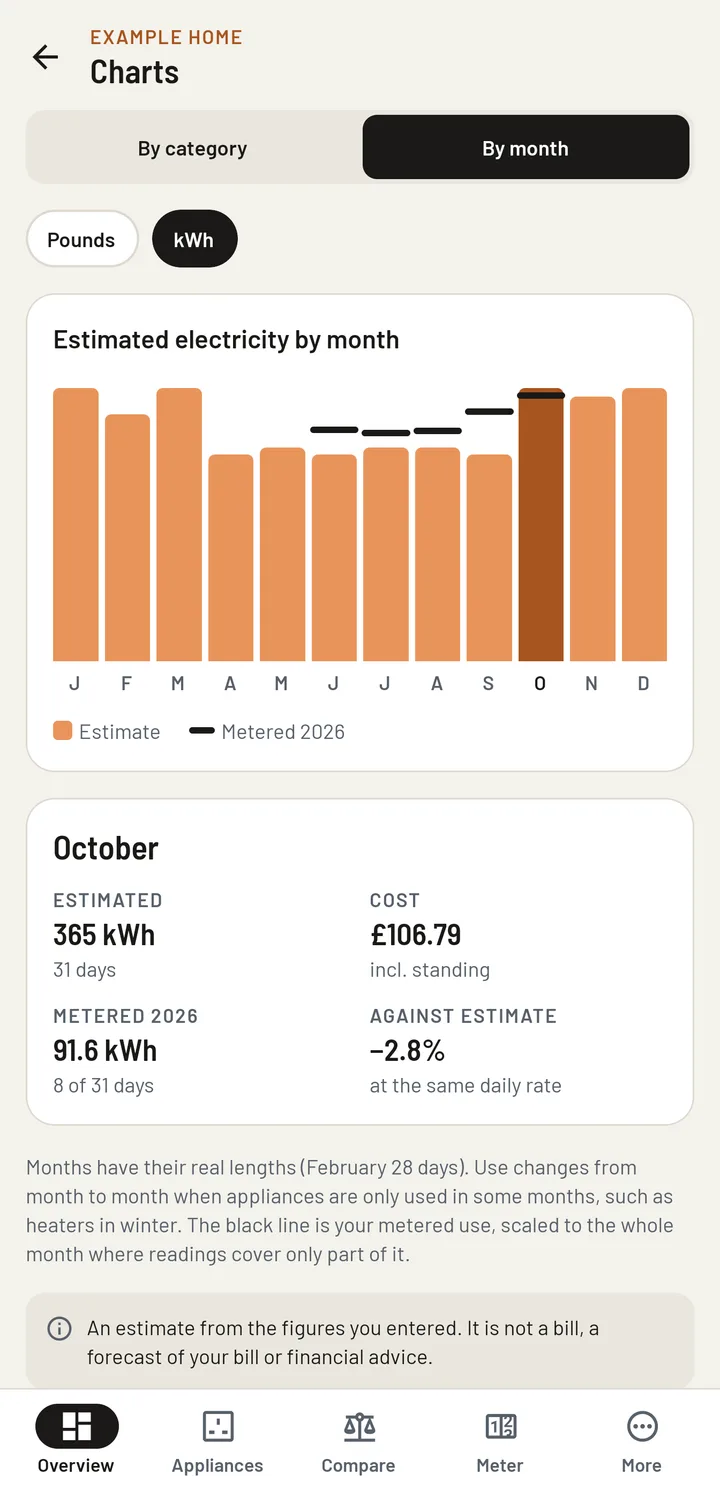
- Month by month
- Twelve bars of estimated consumption, with a marker for metered use in the months your readings cover.
- PDF report
- Your estimate as a document, with the sections you choose, sent through the Android share sheet.
- CSV tables
- Summary, appliances, readings and scenarios as four tables for a spreadsheet.
- Backup file
- Save everything to a file and restore it later, or on another phone.
- How the sums work
- A guide in ten topics with worked examples: kWh, duty cycle, standby, standing charge, day and night rates and more.
Said plainly
A calculator on your figures. Nothing more than that.
It is
- A calculator that works on the numbers you enter: your appliances, your hours, your tariff.
- Complete without an internet connection. It contains no prices, so nothing in it goes out of date.
- Free, with every feature included. No adverts and no in-app purchases.
- For Android phones, in British English, with pounds and pence.
It is not
- A bill, or a forecast of your bill. An estimate will differ from what your supplier charges.
- A tariff comparison service. It holds no energy prices and no supplier names.
- Financial or energy-efficiency advice. Savings and payback times are illustrations that assume prices and habits stay the same.
- Connected to your meter or your supplier. You type the readings in yourself.
PrivacyOn your device only
- No account and no sign-in
- No internet permission: the app cannot send anything
- No analytics, no adverts, no tracking
- No notifications
- Files leave the phone only when you export and share them
Questions
Before you install.
More answers, and the address to write to, are on the support page.
Does the app know my supplier’s prices?
No. It contains no energy prices and never goes online. You copy the unit rate and the standing charge from your own bill or your supplier’s tariff details, and you change them when your prices change.
Why would the estimate differ from my bill?
The estimate is built from the wattages and hours you entered; your meter records what really happened. An appliance missing from the list, one used for longer than entered, or one that does not draw its rated power all the time will move the result. The Meter screen shows the gap so you can correct the list.
What about VAT?
Prices are used as you enter them. If the prices you have exclude VAT, choose “Add VAT on top” and type in the rate shown on your bill. The app contains no VAT rate of its own.
Does it work without a connection?
Yes, completely. The app does not hold the Android internet permission, so it could not go online even if it tried.
How do I move my data to a new phone?
Under More, open Export and backup, save a backup file and send it to yourself. On the new phone, choose “Restore from a backup file”. Your data is not part of Android’s cloud backup, so the file is the way to move it.
Is it really free?
Yes. There are no adverts, no in-app purchases, no subscription and no account.
Start with the kettle. Add the rest of the house later.
An appliance list takes a few minutes to begin and can grow whenever you have the rating plate in front of you.
The app is not on Google Play yet. The download link will appear here once it is.